A free app from Lensworks Studio
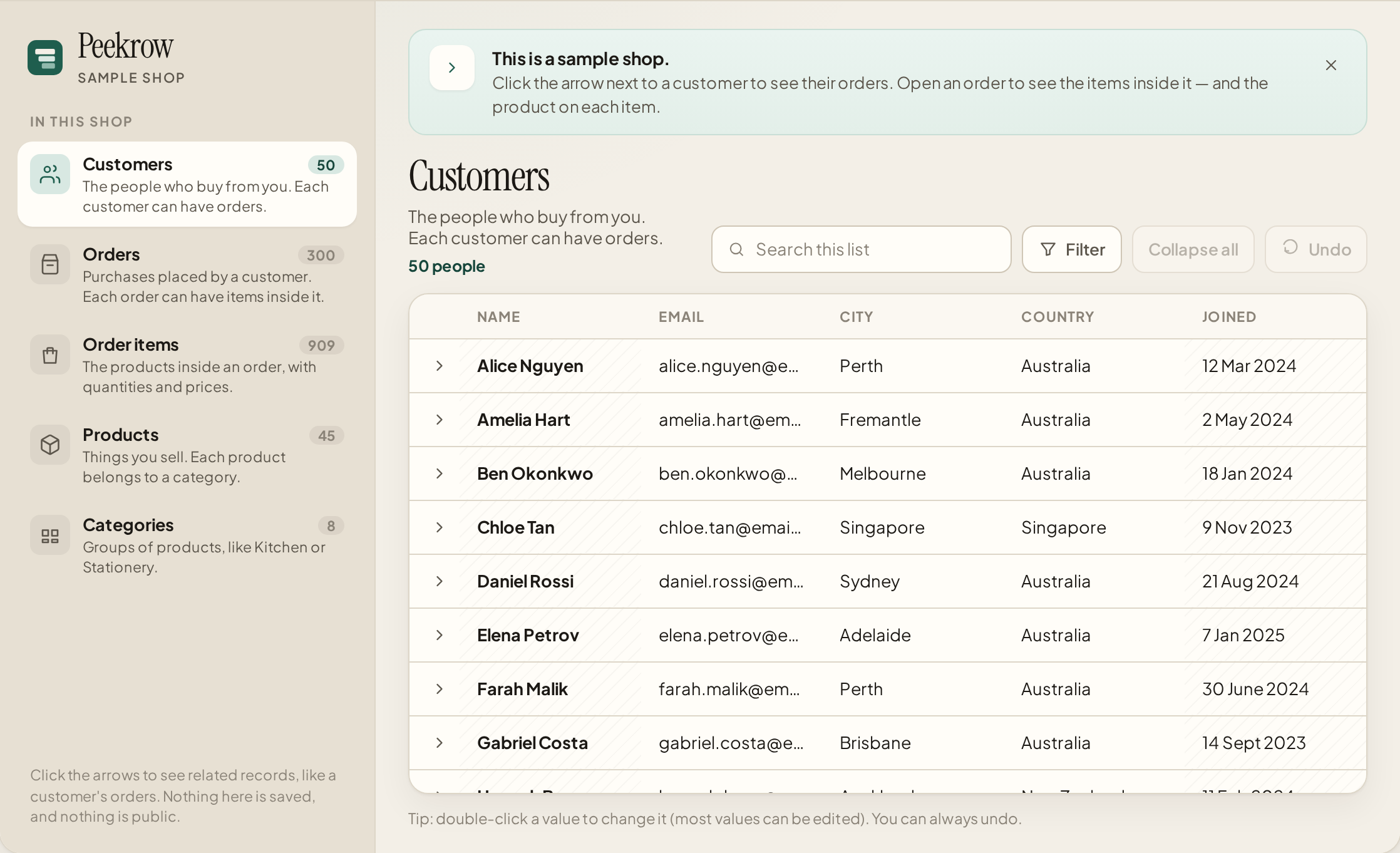
Click a customer to see their orders.
Then open an order to see what’s in it. Peekrow lets you look through your data this way — no technical knowledge needed.
The web demo works today, with a sample shop that runs in your browser. Desktop apps for Windows, Mac and Linux are on the way.
Try it yourself
This is a sample shop. You can click around, search and try editing — nothing is saved, and none of it leaves your browser.
How it works
Three simple steps. The same idea will work with your own data, when that’s ready.
-
1
Open a list
Start with customers, orders or products in the sample shop.
-
2
Click to see what’s connected
Click the arrow next to a customer to see their orders. Open an order to see the items inside it.
-
3
Change a value, or undo
Double-click a number or a name to change it. You can always undo.
Free to use, with an optional AI helper
The whole app is free — including the features other tools charge for.
The app
Free
Browse and edit your data in the browser today, and soon on your computer. We’ll start with SQLite files, and add more database types after that.
- Click through connected information, with no technical knowledge needed
- Search, sort, filter and edit, with undo
- Web demo now, with sample data that stays in your browser
- Desktop apps for Windows, Mac and Linux, coming soon
- SQLite first, with more to follow
Coming soon
AI helper
US$4.99 a month
Optional, and capped at 2,000 questions a month. If you already have your own AI key, you can plug that in and use the helper for free.
The helper isn’t in the demo yet. When it arrives, it will do three things:
- What’s affected? Before you change something, see everything else that change would touch.
- Smart fill. Get suggested values from the information around them, and approve each one yourself.
- One-click briefing. A plain-English summary of a customer, a product, or any other item, and everything linked to it.
Questions
Is Peekrow free?
Yes. The whole app is free, including features that other tools charge for. The only thing you pay for is the optional AI helper, and even that’s free if you use your own AI key.
Do I need to know SQL, or be technical?
No. If you can click through a list, you can use Peekrow.
What can I try today?
The web demo above, with a sample shop. It runs entirely in your browser. It doesn’t connect to your own database yet.
What computers and databases will it work with?
Desktop apps for Windows, Mac and Linux are coming. We’ll start with SQLite, and support more database types after that.
What’s the AI helper, and when can I use it?
It’s coming soon, at US$4.99 a month, with a cap of 2,000 questions. It will show you what’s affected by a change, suggest missing values, and give you a plain-English briefing. If you have your own AI key, it’s free. None of this is in the demo yet.
How do I get it?
Join the waitlist below. We’ll email you when it’s ready.
Get a note when it’s ready
Leave your email and, if you like, a line about what you’d use Peekrow for. We’ll only email you about this app.